Quick answer: You can check your EPF balance four official ways — give a missed call to 9966044425 from your UAN-registered mobile number, send an SMS to 7738299899, log in to the UAN Member e-Sewa portal (unifiedportal-mem.epfindia.gov.in) to download your e-passbook, or use the UMANG app under the EPFO section. All four are free. Missed call and SMS require your mobile number to be seeded to your UAN, and your UAN to carry at least one KYC document (Aadhaar, PAN, or bank account). Processes and rules verified as of July 2026.
Reviewed by Manjeeta Raj, Founder of PaisaPilotAI. This guide explains only EPFO's own official balance-check channels — no third-party apps, no paid services. Always confirm your PF balance only through epfindia.gov.in, the UMANG app, or EPFO's own SMS/missed-call numbers; do not share your UAN, Aadhaar, or OTP with anyone claiming to "check your balance" on your behalf.
Information last verified: - EPF missed call number - EPF SMS number - SMS message format - UAN portal process - UMANG workflow Last verified date: July 2026. EPFO occasionally updates its digital processes — if anything in this guide doesn't match what you see on epfindia.gov.in or the UMANG app, trust the official channel and treat this as a sign the process has since changed.
Why trust this guide? - Reviewed by PaisaPilotAI's founder before publication - Based solely on EPFO's own official channels — no third-party apps recommended - Updated regularly as EPFO changes its processes
Already know your corpus and want to plan ahead? → EPF Calculator — free, no login
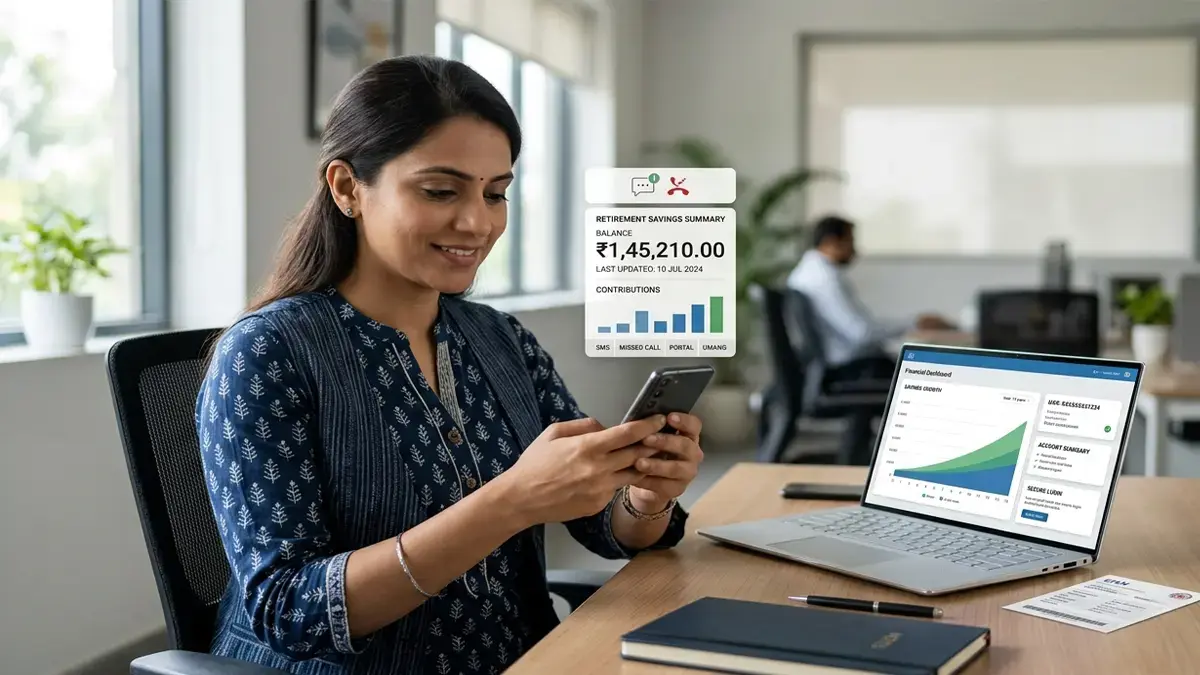
Priya Nair, a marketing executive in Kochi earning ₹42,000 a month, changed jobs eight months ago. She wants to know how much her Employees' Provident Fund account has grown since her last job, but she does not remember her EPFO portal password and does not want to install another finance app just to check one number.
This is one of the most common situations salaried employees run into. The good news: EPFO gives you four different official ways to check your balance, and at least two of them — missed call and SMS — take under a minute and need no login at all.
This guide walks through each method exactly as EPFO has designed it, explains what you need before you start, and covers the errors people actually run into (wrong mobile number, UAN not activated, balance not updated) rather than just describing the "ideal" case.
How Can I Check My EPF Balance?
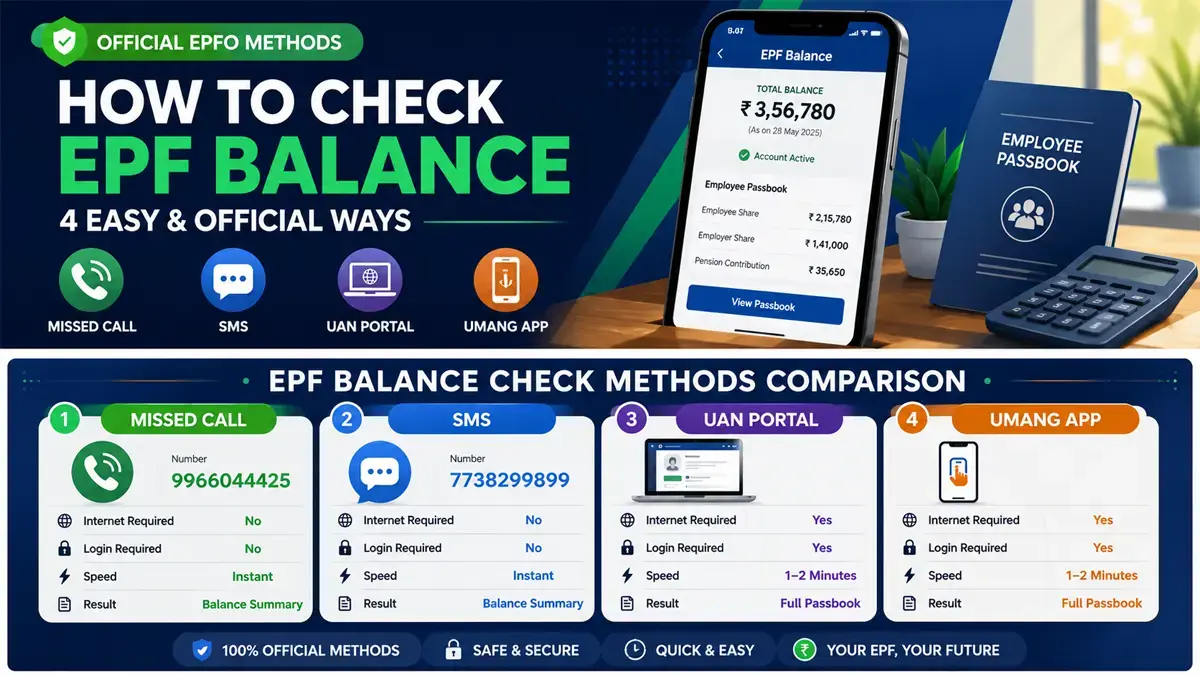
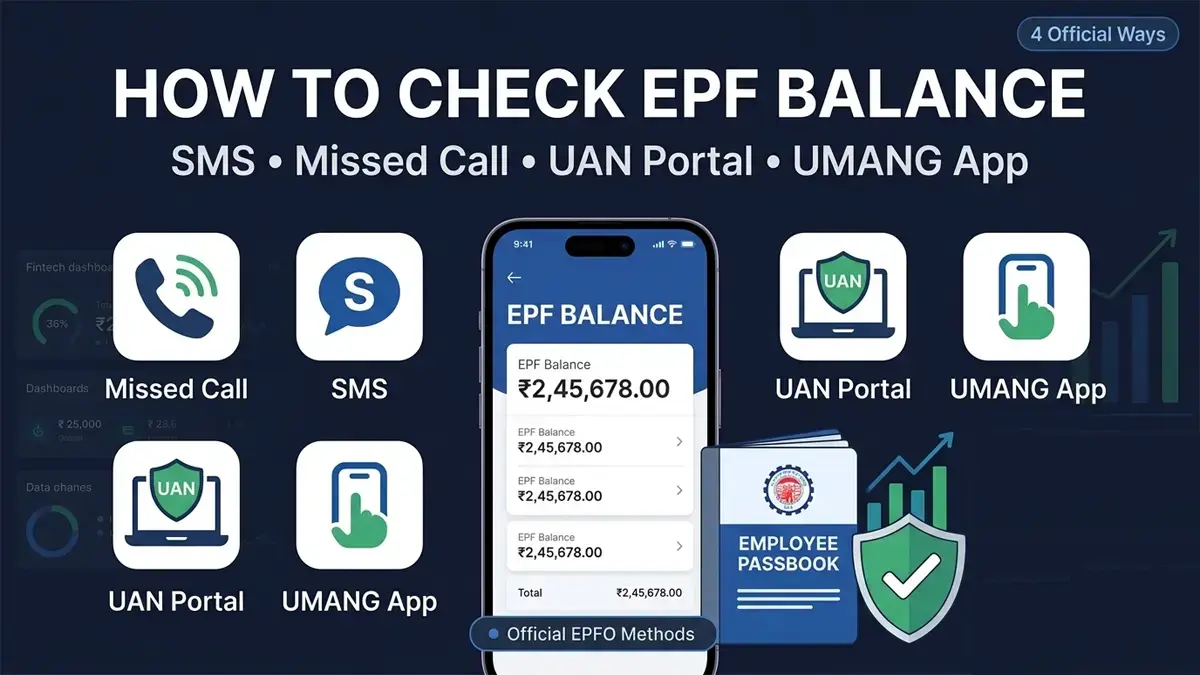
You can check your EPF balance through four official EPFO channels: a missed call to 9966044425, an SMS to 7738299899, the UAN Member e-Sewa portal, or the UMANG mobile app. Missed call and SMS require your mobile number to be linked to your UAN and give you an instant summary by return SMS. The UAN portal and UMANG app show your complete, itemised e-passbook after login.
None of these methods charge a fee. EPFO does not have a paid "balance check" service — if any website or agent asks you to pay to check your PF balance, it is not an EPFO channel.
| Method | Needs UAN activation? | Needs internet? | Speed | What you get |
|---|
| Missed call (9966044425) | Yes | No | Instant SMS reply | Basic balance summary |
| SMS to 7738299899 | Yes | No | Instant SMS reply | Basic balance summary |
| UAN Member e-Sewa portal | Yes | Yes | 1–2 minutes | Full e-passbook, contribution-wise |
| UMANG app | Yes (or UAN + OTP) | Yes | 1–2 minutes | Full e-passbook, contribution-wise |
Quick Answer Box: What You Need Before You Start
To check your EPF balance by any method, your Universal Account Number (UAN) must be activated and your current mobile number must be linked (seeded) to that UAN inside EPFO's records. Without a UAN-linked mobile number, missed call and SMS will not work, and you cannot receive the OTP needed for portal or UMANG login.
Before trying any method below, confirm you have:
- Your 12-digit UAN (printed on recent payslips or your PF passbook)
- The mobile number you originally gave your employer for EPF/UAN registration
- If that number has changed, you must update it via your employer or the UAN portal before missed call/SMS will work
A common trigger for this is switching SIM cards after changing cities or operators — the missed call or SMS simply gets no reply, not because the service is down, but because the new number was never seeded to the UAN. In that case, the mobile number has to be updated through the employer's HR/payroll team before either method will work.
EPF Balance Check Methods Comparison
The fastest EPF balance check methods are missed call and SMS, both of which work without internet and take under a minute; the most detailed methods are the UAN portal and UMANG app, which show a full month-wise contribution history. Choose missed call or SMS for a quick number, and the portal or app when you need proof of contributions for a loan or tax filing.
| Comparison factor | Missed Call | SMS | UAN Portal | UMANG App |
|---|
| Cost | Free | Free (standard SMS charges may apply from your operator) | Free | Free |
| Internet required | No | No | Yes | Yes |
| Detail level | Balance summary only | Balance summary only | Full e-passbook | Full e-passbook |
| Best for | Quick check | Quick check | Loan/ITR proof | On-the-go full detail |
| Login required | No | No | Yes (UAN + password) | Yes (UAN + OTP) |
EPF Balance Check Using Missed Call
To check your EPF balance using a missed call, dial 9966044425 from your UAN-registered mobile number and disconnect after one or two rings. EPFO's system automatically identifies your number, matches it to your UAN, and sends back an SMS containing your last contribution amount and total PF balance. You are not charged for the missed call itself since the call is disconnected before EPFO's system picks up.
Step-by-Step: EPF Missed Call Balance Check
- Confirm your mobile number is already linked to your UAN (check with HR if unsure).
- Dial 9966044425 from that exact mobile number.
- Let it ring once or twice, then hang up — do not wait for the call to connect.
- Within a few seconds to a couple of minutes, you receive an SMS with your UAN status and latest PF balance.
The entire process typically takes under 30 seconds end-to-end — no app, no login, no data usage — which is why it remains the fastest option when you just need a quick number rather than a detailed statement.
Verified as of July 2026: this number and process have remained unchanged for several years and are listed on EPFO's own member-services communication.
EPF Missed Call Number Explained
The official EPF missed call number is 9966044425, operated by EPFO specifically for the missed-call balance service. This is the only number EPFO uses for this purpose. Numbers circulating on social media or forwarded messages that differ from this one should not be trusted, since EPFO has repeatedly flagged fraudulent messages impersonating its services.
A few points worth being explicit about, since confusion here causes most support complaints:
- The number works only for UAN-registered mobile numbers — a random number cannot get someone else's balance.
- It works from any telecom operator in India; no special SMS pack is required for the missed call itself.
- It does not work if your UAN is not activated, or if your UAN is not seeded with at least one of Aadhaar, PAN, or bank account — even if the mobile number is otherwise correct.
- The reply SMS format includes your PF balance as of the last processed contribution, not necessarily today's exact date — see the "How Often Is EPF Balance Updated" section below.
EPF Balance Check Using SMS
To check your EPF balance using SMS, send a text to 7738299899 in the format EPFOHO UAN followed by your preferred language code, from your UAN-registered mobile number. For example, a member who wants the reply in English sends EPFOHO UAN ENG. EPFO replies with your UAN status, the name registered against it, and your latest available PF balance.
This method exists specifically for members who prefer a written record over a phone call, or whose network has poor call connectivity but stable SMS delivery.
Language Codes for the EPF SMS Service
EPFO's SMS service supports multiple Indian languages so members are not restricted to English. Common codes include:
ENG — EnglishHIN — HindiPUN — PunjabiGUJ — GujaratiMAR — MarathiKAN — KannadaTEL — TeluguTAM — TamilMAL — MalayalamBEN — Bengali
This matters in practice for members who find it easier to double-check their name and UAN details in their own language rather than in English — sending EPFOHO UAN GUJ, for instance, returns the same balance summary in Gujarati script instead of English.
A correctly formatted EPF balance-check SMS looks like EPFOHO UAN ENG sent to 7738299899, with no punctuation and a single space between each part. Do not add extra spaces, do not use lowercase-only if your phone auto-formats, and do not include your actual UAN number in the message — the system recognises your UAN automatically from your registered mobile number.
A common mistake is typing the UAN number itself into the SMS, assuming the system needs it explicitly. It does not — including it does not break anything, but it is unnecessary since EPFO matches by mobile number.
Example (English)
EPFOHO UAN ENG
Send to: 7738299899
Example (Hindi)
EPFOHO UAN HIN
Send to: 7738299899
EPF Balance Check Using UMANG App
To check your EPF balance using the UMANG app, open the app, search for "EPFO" among the listed services, select "Employee Centric Services," choose "View Passbook," and log in using your UAN and an OTP sent to your registered mobile number. UMANG (Unified Mobile Application for New-age Governance) is a government-wide app covering many services beyond EPFO, so employees who already use it for other purposes (like PAN or Aadhaar-linked services) can add EPF balance-checking without installing a separate app.
Step-by-Step: EPF Balance Check on UMANG
- Download UMANG from the Google Play Store or Apple App Store (official publisher: NeGD / Government of India).
- Open the app and search for "EPFO" in the services list.
- Tap "Employee Centric Services", then select "View Passbook."
- Enter your UAN and request an OTP.
- Enter the OTP received on your UAN-registered mobile number.
- View your e-passbook, which lists employee contribution, employer contribution, pension contribution, and interest credited, month by month.
This is particularly useful for members who already use UMANG for other government services (like PAN or Aadhaar-linked tasks), since it avoids the need to remember a separate EPFO portal password just to track EPF growth periodically.
Is UMANG Safe for EPF Balance Checking? UMANG is an official Government of India application built and maintained by the National e-Governance Division (NeGD), and it uses UAN plus OTP-based authentication rather than storing your password, making it a safe channel for checking EPF balance. As with any financial app, only download UMANG from official app stores and never share the OTP you receive with anyone.
EPF Balance Check Using UAN Portal
To check your EPF balance on the UAN portal, visit unifiedportal-mem.epfindia.gov.in, log in with your UAN and password, and open the "View Passbook" section under the Member Home Page. The UAN Member e-Sewa portal is the primary web-based channel for checking your full EPF passbook and is also where you manage KYC details, nominate beneficiaries, and raise online claims.
Step-by-Step: EPF Balance Check on UAN Portal
- Go to the official portal: unifiedportal-mem.epfindia.gov.in
- Enter your UAN, password, and the captcha shown.
- If your UAN has never been activated, note that EPFO has increasingly encouraged Aadhaar and face-authentication-based activation through the UMANG app (UAN Services Through Face Authentication → UAN Activation) during its recent platform upgrades. Depending on EPFO's current systems, some members may still see activation options on the portal, while others may be directed to UMANG — check both if one path is unavailable.
- Once logged in, click "View Passbook" — this opens in a new tab, sometimes requiring a second UAN + password entry as a security step.
- Select the relevant PF account if you have multiple (common for employees who changed jobs without transferring their PF).
- View or download your full contribution history as a PDF.
Arjun Malhotra, a bank operations officer in Mumbai, needed his complete PF contribution history as proof of income continuity while applying for a personal loan. The missed call and SMS methods only gave him a summary number, so he logged into the UAN portal specifically to download the detailed passbook PDF his bank required.
If you have changed employers, review our EPFO 3.0 changes article to understand which transfer and settlement steps are now automated versus which still require manual initiation on the portal.
EPF Passbook Login Guide
To log in to your EPF passbook, use your UAN and password at the UAN Member e-Sewa portal, then click "View Passbook" from the Member Home Page after logging in. Your EPF passbook is a separate login step from the main portal in some cases — EPFO occasionally requires you to re-enter your UAN and password specifically for the passbook module as an added security layer.
If you have forgotten your password:
- On the login page, click "Forgot Password."
- Enter your UAN and the captcha.
- An OTP is sent to your UAN-registered mobile number.
- Set a new password after OTP verification.
If you have never activated your UAN at all, EPFO has increasingly steered first-time activation toward the UMANG app using Aadhaar-based face authentication during recent platform upgrades. Whether the portal still offers a direct activation option for you depends on EPFO's current rollout — if "Forgot Password" doesn't work for a never-activated UAN, try UMANG's face-authentication activation flow instead.
Can You Check EPF Balance Without UAN?
You cannot check your EPF balance without a UAN, because every EPFO balance-check channel — missed call, SMS, UAN portal, and UMANG — identifies your account either directly through your UAN or through a mobile number that is linked to your UAN. If you genuinely do not know your UAN, you can retrieve it through your employer's HR/payroll team, since it is generated and communicated at the time your PF account is opened, or find it printed on your salary slip in many organisations.
Meera Pillai, a first-year hire at an IT company in Bengaluru, was not sure if she had a UAN yet since she had only completed one payroll cycle. Her HR team confirmed her UAN was already generated and gave it to her directly — she did not need to "discover" it through any EPFO search tool, since UAN allotment is standard as soon as PF deduction begins.
Common Issues and Fixes
The most common EPF balance check issues are an unregistered or outdated mobile number, an inactive UAN, and balance figures that appear outdated because the employer has not yet remitted the latest month's contribution. Each of these has a specific, official fix rather than a workaround.
| Issue | Likely cause | Fix |
|---|
| Missed call/SMS gets no reply | Mobile number not linked to UAN | Update mobile number via employer or UAN portal, then retry |
| "UAN not activated" error | First-time login without activation | Try UAN activation on the UMANG app (UAN Services Through Face Authentication) — EPFO has increasingly directed first-time activation here during recent upgrades; check the portal too, since availability can vary |
| Balance shown seems old | Employer hasn't remitted latest contribution yet | Wait for next ECR (Electronic Challan cum Return) filing cycle by employer; balance updates only after remittance is processed |
| OTP not received on UMANG/portal | Registered number inactive or changed | Update number through employer, since EPFO does not allow self-service number changes without employer verification in most cases |
| Passbook shows two separate PF accounts | PF not transferred after job change | Raise an online transfer claim via the UAN portal; see EPF withdrawal rules for related claim processes |
If your claim was rejected while trying to withdraw rather than just check your balance, that is a separate process — see our detailed guide on EPF claim rejected reasons for the specific causes and corrective steps.
Security Tips for Checking EPF Balance
Only use EPFO's own official channels — the UAN portal at unifiedportal-mem.epfindia.gov.in, the UMANG app, the missed-call number 9966044425, and the SMS shortcode 7738299899 — and never share your UAN, password, or OTP with anyone claiming to check your balance on your behalf. EPFO does not call members asking for OTPs, and legitimate EPFO communication never asks you to pay a fee for a balance check.
Practical habits worth adopting:
- Bookmark the official portal URL rather than searching and clicking the first result, since lookalike domains do exist.
- Never install "EPF balance checker" apps from outside the Google Play Store or Apple App Store — only the official UMANG app should be used.
- Treat any WhatsApp or SMS forward claiming a "new EPFO number" with suspicion unless it matches the numbers in this guide exactly.
- Keep your registered mobile number updated whenever you change your SIM, since it is the single point of authentication for missed call, SMS, and OTP-based logins.
How Often Is EPF Balance Updated?
Your EPF balance updates each time your employer successfully files and remits your monthly Electronic Challan cum Return (ECR) to EPFO, which typically happens on a monthly payroll cycle rather than in real time. This means the balance you see immediately after a salary credit may not yet reflect that month's contribution until your employer's EPF remittance for that period is processed and accepted by EPFO.
If your employer is delayed in filing ECR — which does happen, particularly with smaller companies — your visible PF balance will lag behind your actual salary credits until the backlog clears. This is a payroll-compliance issue on the employer's side, not a fault in the EPFO balance-check tools themselves.
Frequently Asked Questions
How can I check my EPF balance?
You can check your EPF balance by giving a missed call to 9966044425, sending an SMS to 7738299899, logging into the UAN Member e-Sewa portal, or using the UMANG app — all four are official, free EPFO channels.
What is the EPF missed call number?
The official EPF missed call number is 9966044425. It works only from a mobile number already linked to your UAN.
Can I check EPF balance without UAN?
No. Every official EPF balance-check method identifies your account through your UAN or a UAN-linked mobile number, so a UAN is required either directly or indirectly in all cases.
How do I check EPF balance using SMS?
Send EPFOHO UAN ENG (or another supported language code) to 7738299899 from your UAN-registered mobile number to receive an instant balance summary by SMS reply.
Is UMANG safe for EPF balance checking?
Yes. UMANG is an official Government of India app that authenticates using UAN plus OTP rather than storing passwords, making it a secure channel when downloaded from official app stores.
How often is EPF balance updated?
EPF balance updates when your employer files and remits your monthly PF contribution through ECR — typically on a monthly cycle, not instantly after salary credit.
What is EPF balance check on mobile number?
This refers to the missed call and SMS methods, both of which use your UAN-registered mobile number as the identifier instead of requiring a UAN or password entry.
Can I check my EPF balance by SMS if my number isn't updated with EPFO?
No. If your current mobile number is not seeded to your UAN, SMS and missed call will not return a reply since EPFO cannot match your number to any account.
Can I check EPF balance without a registered mobile number?
No, not through missed call or SMS — both methods identify you solely by your UAN-registered mobile number, so without one linked to your UAN, neither will respond. You can still check your balance through the UAN portal or UMANG app using your UAN, password, or Aadhaar-based face authentication, though even these ultimately require a working registered mobile number to receive the login OTP.
Why is my latest EPF contribution not showing?
Your latest contribution appears only after your employer files and remits that month's Electronic Challan cum Return (ECR) to EPFO — this is not instantaneous with your salary credit. If your payslip shows a PF deduction this month but your passbook has not updated, the most common cause is that your employer has not yet completed that month's ECR filing, which is a payroll-compliance step on the employer's side, not a fault in EPFO's balance-check tools.
How long does EPF balance take to update after salary credit?
There is no fixed universal turnaround time, since it depends entirely on when your employer files and EPFO processes that month's ECR — this commonly takes anywhere from a few days to several weeks after salary credit. If your balance has not updated after a full payroll cycle, follow up with your employer's payroll or HR team about their EPF remittance status rather than assuming the EPFO systems are at fault.
Snippet Blocks — Direct Answers
EPF balance check number
The official number to check your EPF balance is 9966044425. Give a missed call to this number from your UAN-registered mobile number, and EPFO sends back an SMS with your balance summary — no charge, no app required.
EPF balance check by SMS
Send EPFOHO UAN ENG to 7738299899 from your UAN-registered mobile number. Replace "ENG" with another supported language code (HIN, TAM, TEL, and others) if you prefer a different language for the reply.
EPF balance check without UAN
You cannot check your EPF balance without a UAN, since every official EPFO channel — missed call, SMS, UAN portal, UMANG — identifies your account through your UAN or a UAN-linked mobile number. Get your UAN from your employer's HR/payroll team if you do not already have it.
EPF balance check on mobile number
"EPF balance check on mobile number" refers to the missed call and SMS methods, both of which use your UAN-registered mobile number as the sole identifier — no UAN entry, password, or app login is needed for either.
Official Sources and References
Always verify the numbers and processes in this guide against EPFO's own official channels before relying on them, since digital processes can change without much public notice. This article explains these services in original language rather than reproducing official text, but the underlying facts should ultimately be cross-checked at the source.
- EPFO official website — epfindia.gov.in — the primary source for missed-call, SMS, and portal service details.
- EPFO Member e-Sewa portal — unifiedportal-mem.epfindia.gov.in — for passbook login, KYC updates, and claims.
- UMANG application — the official Government of India app (published by NeGD) covering EPFO services including passbook viewing and UAN activation.
- Ministry of Labour and Employment — the parent ministry overseeing EPFO, which publishes policy-level updates and circulars affecting these services.
If any number, format, or process described here has changed by the time you read this, treat the official source as authoritative and not this article.
Final Verdict
For a quick number, use missed call or SMS — both take under a minute and need no internet. For proof of contributions, loan applications, or ITR filing, use the UAN portal or UMANG app to download your full e-passbook. Whichever method you choose, the one prerequisite that matters most is keeping your mobile number correctly linked to your UAN — that single detail determines whether every other method works on the first attempt.
If you are also tracking how EPFO's broader digital reforms affect claims and transfers, read our guide on EPFO 3.0 changes for what has actually changed versus what is still pending. And if you are planning ahead for retirement or a future withdrawal, the EPF Calculator on PaisaPilotAI helps you project your maturity corpus based on your current balance and contribution rate. For a broader view of your total retirement benefits, our gratuity calculation guide explains how gratuity works alongside your EPF corpus.
You can explore more salary and tax tools on the PaisaPilotAI homepage.
Disclaimer: This article is for general informational purposes only and does not constitute financial advice. EPF rules, numbers, and portal processes are subject to change by EPFO and the Ministry of Labour and Employment. Always verify current procedures directly at epfindia.gov.in or through the official UMANG app before relying on any figure or step described here. Last updated and reviewed: July 2026.