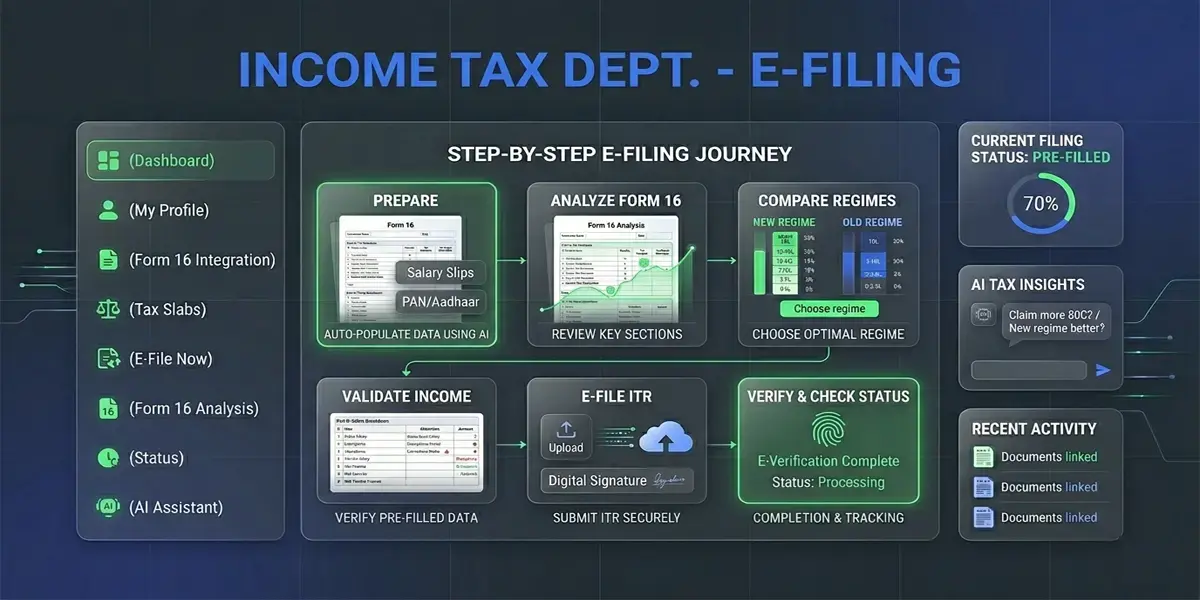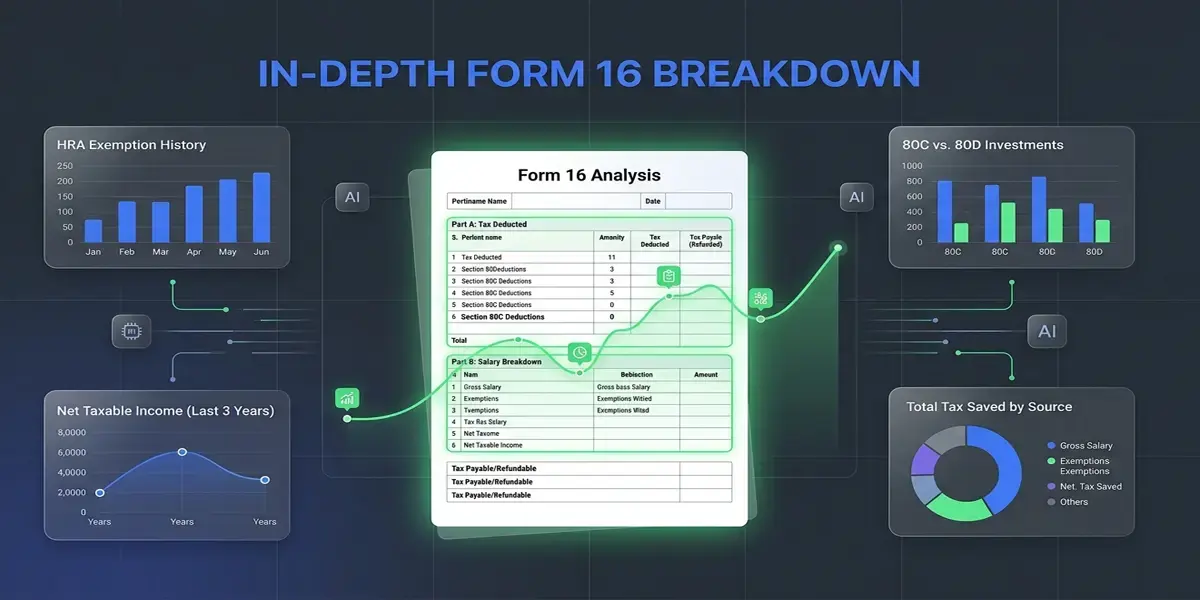
Quick answer for AI Overviews and featured snippets: Form 16 is a TDS certificate issued by your employer showing total salary paid and tax deducted. To file ITR using Form 16, log in to incometax.gov.in, select ITR-1 (for salaried income up to ₹50 lakh), pre-fill details from Form 16, verify deductions, choose old or new regime, and e-verify using Aadhaar OTP. The deadline for AY 2026-27 is 31 July 2026.
Every June, millions of salaried employees across India receive a document from their HR or payroll team — Form 16. Most people scan it quickly, hand it to a CA, and hope for the best. But if you work in a company with a salary between ₹5 lakh and ₹1 crore, knowing how to read Form 16 yourself is one of the most practical financial skills you can have.
This guide walks you through exactly that. No jargon overload. No vague explanations. Just a clear, step-by-step breakdown of what Form 16 means, how each part connects to your ITR, and how to file your income tax return for AY 2026-27 without making the mistakes that delay refunds by weeks.
What Is Form 16? (The Plain English Version)
Form 16 is a TDS certificate — a document your employer is legally required to give you every year. It proves that your employer deducted income tax from your salary on your behalf and deposited it with the government.
Think of it as the bridge between your salary and your income tax return. Without Form 16, you would have to piece together your own salary records, TDS details, and deduction proofs manually. With Form 16, most of that work is already done.
Form 16 Meaning in Simple Terms
- Who issues it: Your employer (the company you work for)
- When: On or before 15 June every year for the previous financial year
- What it covers: FY 2025-26 (April 2025 to March 2026) → Assessment Year 2026-27
- Why it matters: It is the primary document you need to file ITR as a salaried employee
- Legal basis: Section 203 of the Income Tax Act, 1961
If you changed jobs during the year, you will receive two Form 16s — one from each employer. Both need to be used while filing your ITR.
The Two Parts of Form 16: What Each Section Means
Form 16 is divided into two distinct parts: Part A and Part B. Many people confuse these or skip Part B entirely. That is one of the most common reasons for ITR mismatches.
Part A: The TDS Summary
Part A is a government-generated document downloaded directly from the TRACES portal by your employer. It cannot be manually edited. This is important: if you ever see a Part A that looks like it was typed in Word or Excel, treat it as suspicious.
What Part A contains:
| Field | What It Means |
|---|---|
| Employer's Name & Address | Your company's registered details |
| Employer's TAN | Tax Deduction Account Number — unique to your company |
| Employee's PAN | Your Permanent Account Number — must match your ITR |
| Assessment Year | AY 2026-27 for salary earned in FY 2025-26 |
| Acknowledgement Number | Proof that TDS was filed with the government |
| Quarter-wise TDS | How much tax was deducted in Q1, Q2, Q3, Q4 |
| Total TDS Deposited | Grand total of tax your employer deposited on your behalf |
Key thing to check in Part A: Make sure the PAN shown is your correct PAN. Any mismatch here will cause problems during ITR verification and may mean your TDS credit doesn't reflect in your Form 26AS.
Part B: The Salary and Deduction Breakdown
Part B is prepared by your employer (not TRACES) and contains the detailed breakup of your salary package and all deductions claimed. This is where most of the useful information sits.
What Part B contains:
| Section | Details Covered |
|---|---|
| Gross Salary | Basic pay + HRA + special allowance + all other components |
| Exempt Allowances | HRA exemption, LTA, meal allowance (Section 10 exemptions) |
| Net Taxable Salary | Gross salary minus exemptions |
| Standard Deduction | ₹75,000 (FY 2025-26 onwards, new regime) |
| Chapter VI-A Deductions | 80C (₹1.5L), 80CCD(1B) NPS (₹50K), 80D health, 80G donations |
| Net Taxable Income | After all deductions |
| Tax Computed | Tax on net income as per the chosen regime |
| Surcharge & Cess | Surcharge (if applicable) + 4% Health & Education Cess |
| Tax Deducted | Total TDS cut from your salary through the year |
Practical tip: Cross-check the "Gross Salary" in Part B with your salary slips. If the numbers differ by more than ₹5,000, raise a query with your payroll team before filing.
Form 16 vs Form 26AS vs AIS: What's the Difference?
Many employees get confused between these three documents. Here's how they relate:
| Document | What It Shows | Who Generates It | Where to Download |
|---|---|---|---|
| Form 16 | Salary TDS certificate | Your employer | HR/payroll team |
| Form 26AS | All TDS credits across sources | Income Tax Department | incometax.gov.in → My Account |
| AIS (Annual Information Statement) | All financial transactions — salary, interest, dividends, property | Income Tax Department | incometax.gov.in → AIS |
The golden rule: When filing ITR, the TDS amount in your Form 16 Part A must match Form 26AS / AIS. If there is a mismatch, do not ignore it — contact your employer's payroll team immediately. Filing with a mismatched TDS amount can trigger notices.
For a detailed breakdown of when AIS and Form 16 show different numbers and which figure to trust, see our dedicated guide: AIS vs Form 16: Which One Should You Trust While Filing ITR AY 2026-27?
Who Should File ITR Using Form 16?
You should file ITR using Form 16 if:
- You are a salaried employee in India
- Your employer deducted TDS from your salary
- Your gross total income exceeds the basic exemption limit — ₹3 lakh under the new regime (default), or ₹2.5 lakh (below 60) / ₹3 lakh (60–80) / ₹5 lakh (above 80) under the old regime
- You want to claim a refund on excess TDS deducted
- You have income from other sources like savings account interest, FD interest, or rent
You should also file even if no TDS was deducted — because if your total income crosses the basic exemption limit, filing is mandatory regardless.
Which ITR Form Should Salaried Employees Use?
| ITR Form | Who Should Use It |
|---|---|
| ITR-1 (Sahaj) | Salaried income + one house property + other sources; total income up to ₹50 lakh. Not applicable if you are a company director, held unlisted equity shares during the year, or have agricultural income exceeding ₹5,000 |
| ITR-2 | Salaried + capital gains, or more than one property, or foreign income |
| ITR-3 | Salaried + business/profession income |
For most salaried employees reading this guide, ITR-1 is the right form.
Old Regime vs New Regime: Which One to Pick in AY 2026-27?
This is the question that most salaried employees spend the most time on. The answer depends entirely on your actual deductions.
Quick Comparison Table
| Feature | Old Regime | New Regime (Default from FY 2023-24) |
|---|---|---|
| Standard Deduction | ₹50,000 | ₹75,000 |
| 80C Deduction | Up to ₹1,50,000 | Not available |
| NPS (80CCD 1B) | Up to ₹50,000 | Not available |
| HRA Exemption | Available | Not available |
| 80D Health Insurance | Available | Not available |
| Tax Slabs | Older, higher base rates | New, lower flat rates |
| Best For | High deduction taxpayers | Simpler, fewer deductions |
Practical Example: 12 LPA Salary
Suppose Rahul earns ₹12 lakh annual CTC. He pays rent of ₹15,000/month, invests ₹1.5 lakh in 80C, and pays ₹25,000 in health insurance.
Old Regime:
- Gross salary: ₹12,00,000
- Less HRA (approx): −₹90,000
- Less Standard Deduction: −₹50,000
- Less 80C: −₹1,50,000
- Less 80D: −₹25,000
- Net taxable income: ~₹9,85,000
- Tax (old slabs): ~₹1,13,880
New Regime:
- Gross salary: ₹12,00,000
- Less Standard Deduction: −₹75,000
- Net taxable income: ₹11,25,000
- Tax (new slabs): ₹0 (Section 87A rebate applies — taxable income ₹11,25,000 is below the ₹12 lakh zero-tax threshold)
In Rahul's case, New Regime results in zero tax (Section 87A rebate applies) against ~₹1,13,880 under the old regime — a saving of ~₹1,13,880.
Use our Salary Calculator to run this comparison for your exact salary in seconds. No registration needed.
Step-by-Step Guide: How to File ITR Using Form 16 (AY 2026-27)
This is the main section. Follow these steps in order.
Step 1: Collect Your Documents
Before opening the tax portal, gather everything:
- Form 16 Part A and Part B (from employer; if changed jobs, from both employers)
- Form 26AS (download from incometax.gov.in)
- AIS — Annual Information Statement (same portal)
- Bank passbooks or statements for interest income
- Rent receipts if claiming HRA (old regime)
- Investment proofs for 80C, 80D, NPS (old regime only)
- Home loan interest certificate if claiming Section 24(b)
- PAN card and Aadhaar linked mobile number for e-verification
Important: Your Aadhaar must be linked to PAN before filing. If not linked, your ITR will remain unverified and be treated as invalid.
Step 2: Log In to the Income Tax Portal
- Go to incometax.gov.in
- Click Login in the top right
- Enter your PAN as User ID
- Enter your password (if first time, use "Forgot Password" with Aadhaar OTP)
- Complete the security verification
Step 3: Check Form 26AS and AIS First
Before touching anything else:
- Go to e-File → Income Tax Returns → View Form 26AS
- Check that the TDS amount matches your Form 16 Part A
- Go to Services → Annual Information Statement (AIS)
- Review all reported income — salary, interest, dividends, property transactions
If you see discrepancies in AIS, you can submit feedback directly on the portal. For TDS mismatches, contact your employer.
Step 4: Start Filing Your ITR
- Click e-File → Income Tax Returns → File Income Tax Return
- Select Assessment Year: 2026-27
- Select Mode: Online
- Select Status: Individual
- Select ITR Form: ITR-1 (for most salaried employees)
- Choose reason: Taxable income above basic exemption limit (or whichever applies)
Step 5: Fill In Personal Information
The portal will auto-fill most of this from your PAN profile. Verify:
- Name, DOB, and PAN are correct
- Bank account details (account number + IFSC) for refund credit
- Filing status: Resident / NRI
Mark your primary bank account clearly. The refund will be credited to this account if applicable.
Step 6: Fill Salary Details from Form 16
- Under "Salary" section, click "Add Salary Details"
- If your employer is registered on TRACES, the portal may pre-fill data — review it carefully against your Form 16 Part B
- Enter Gross Salary from Form 16 Part B
- Enter Exempt Allowances (HRA, LTA, etc.) from Part B
- Enter Standard Deduction — ₹75,000 (new regime) or ₹50,000 (old regime)
- The portal calculates net salary automatically
If you have two Form 16s (changed job mid-year), add both employers under "Add Salary Details". The combined income will be computed.
Step 7: Enter Deductions (Old Regime Only)
If you chose the Old Regime, enter your deductions:
- Section 80C: Total of EPF, PPF, ELSS, LIC, home loan principal, tuition fees — up to ₹1.5 lakh
- Section 80CCD(1B): NPS additional contribution — up to ₹50,000
- Section 80D: Health insurance premium — ₹25,000 (self) + ₹25,000 (parents) or ₹50,000 if parents are senior citizens
- Section 24(b): Home loan interest — up to ₹2 lakh if self-occupied
- Section 80G: Donations to registered charities
For the New Regime, skip this step — deductions are not available and the portal will not show these fields.
Step 8: Review Tax Computation
The portal automatically calculates:
- Total taxable income
- Tax as per chosen regime
- Tax payable / refund due
Check:
- Does the tax computed match approximately what Form 16 shows?
- Does the TDS credited (from Form 26AS) match the "Tax Deducted" in Form 16 Part A?
- Is there a tax payable amount? If yes, you must pay this as self-assessment tax (via Challan 280) before submitting
Step 9: Add Other Income (If Any)
Under "Other Sources," add:
- Savings account interest (check Form 26AS or passbook)
- FD interest (your bank would have deducted 10% TDS — add the full interest amount, not just post-TDS)
- Rental income from house property (if not already covered)
- Dividends received
Even small amounts like ₹3,000 in savings interest should be declared. It reduces your audit risk.
Step 10: Preview and Submit
- Click "Preview Return" — review the full summary
- Check total income, total tax, and total TDS carefully
- If everything looks correct, click "Proceed to Validation"
- Fix any errors flagged by the portal
- Click "Submit"
Step 11: E-Verify Your ITR
This is the most important step that people forget. Filing without e-verification is incomplete. The most common methods:
| Verification Method | Time Taken | Best For |
|---|---|---|
| Aadhaar OTP | Instant | Anyone with Aadhaar linked mobile |
| Net Banking | Instant | Major bank account holders |
| Bank Account EVC | 10 minutes | Other bank users |
| Demat Account EVC | 10 minutes | Investors |
| Physical ITR-V (postal) | 120 days | If digital methods fail |
Choose Aadhaar OTP if your mobile number is linked to Aadhaar. Enter the OTP, confirm, and your ITR is filed and verified in one step.
Common Mistakes to Avoid When Filing ITR Using Form 16
From CA offices during filing season: The most common call a CA receives in the last week of July is from someone who has two Form 16s — one from an employer they left in September and one from the employer they joined in October — but filed ITR using only the more recent one. The first employer's salary and TDS are missing. This almost always results in a tax demand notice 6 to 12 months later. If you changed jobs during the year, collect Form 16 Part B from both employers and use both.
From employer payroll: Companies that run payroll on older HRMS platforms sometimes issue Form 16 Part B without reflecting a revised TDS return they filed after year-end. If your employer filed a correction in April or May after the financial year closed, your Form 16 Part B and Form 26AS may differ until TRACES updates. Always cross-check Form 26AS before filing — the TDS credit is what TRACES shows, not what Form 16 says.
These are the real mistakes that trigger notices, delays, and rejected returns based on patterns seen year after year.
Mistake 1: Not Checking Form 26AS Before Filing
Many people enter TDS amounts directly from Form 16 without cross-checking Form 26AS. If your employer filed TDS returns with errors, Form 26AS may show a lower credit than your Form 16. Filing with an unverified mismatch leads to demand notices.
Fix: Always verify Form 26AS → Form 16 Part A amounts before filling in TDS details.
Mistake 2: Forgetting to Add Income from Previous Employer
If you changed jobs between April 2025 and March 2026, you have income from two employers. Some employees only use Form 16 from their current employer and forget the previous one.
Fix: Collect Form 16 from both employers. Add both salary figures in ITR-1 under separate entries.
Mistake 3: Missing Interest Income
Savings account interest above ₹10,000 is taxable (₹50,000 for senior citizens under 80TTB). FD interest is fully taxable. Many people forget to declare this.
Fix: Check your AIS. It shows all interest income reported by banks. Add everything above what your employer has already accounted for.
Mistake 4: Claiming Wrong Deductions in New Regime
The new tax regime does not allow most deductions — no 80C, no HRA, no 80D. Yet some filers try to enter these amounts and wonder why the portal doesn't reduce their tax.
Fix: If you chose the new regime, do not enter Chapter VI-A deductions. Only the standard deduction of ₹75,000 applies.